

In this article
Initial vector
Picture a media server that nobody has touched in years. The operator thinks of it as an appliance, not a server, and updates happen only when something breaks. The flaw at the center of this reconstruction is CVE-2020-5741, a bug in Plex Media Server.
It sits in the plugin framework, where a Dict file is loaded, and it involves the Camera Upload feature. The root cause is simple: the framework unpickles the contents of that file without validation, so a crafted file runs code the attacker chose. According to Tenable, a remote attacker with admin privileges can run arbitrary Python code as the current OS user.
That precondition matters a great deal. Plex says the issue could not be exploited without first gaining access to the server's Plex account, and Tenable also requires admin authentication. So this flaw alone is not an unauthenticated exploit against an exposed port.
The editor's brief assumes an exposed port, but no source says Plex was exposed or that exposure enabled the attack. How an attacker would obtain that admin access is not covered by any source, so treat it as an open question in your own threat model. Once the attacker has admin access, Tenable describes a flow that can be automated.
First, create a photo library through the library sections endpoint, then upload the malicious Dict file into it through the metadata endpoint. Next, point the app data path at that location with a preferences call, then restart the plugin so the file loads. Plex describes the same abuse as overlapping the server data directory with the content location of a library that has Camera Upload enabled.
LastPass's 2023 update says a senior DevOps engineer was targeted by exploiting vulnerable third-party software. That text does not name Plex or any media software, so this column does not claim the two are linked.
Lateral movement
A foothold is only useful if it leads somewhere. Code execution as the server's OS user means the attacker inherits whatever that user can reach on the host. What that reach includes depends on how the operator built the box.
In this reconstruction, the media files live on a NAS, and the server mounts them over file sharing with a saved login. The operator also used the same password on the NAS, because it was easier to remember. None of the sources mention file sharing, the NAS or credential reuse, so this hop is an assumption of the scenario and not a documented finding.
The path exists for a boring reason. Convenience tends to win in a homelab: shared accounts, shared folders and shared passwords. The LastPass text likewise does not say that an engineer's home machine was involved.
The only link the sources do support is the first one: admin access to the Plex account leads to code execution on the host. Treat the NAS step as a question to ask about your own network, not as a result. If the server's user can write to a share, so can anyone running code as that user, and a ransom note would be the loud end of a quiet chain.
What logged it
Detection here is about noticing small oddities, so start with what the sources give you. According to Tenable's code excerpt, the framework writes a log line when the Dict file loads, beginning "(Framework) Loaded the dictionary file". On failure it writes a different line saying the dictionary file is corrupt and could not be loaded.
Tenable's flow ends with a plugin restart, so a dictionary load you cannot explain is worth a look. The source does not say where these logs are stored or whether they are enough to detect an attack. That means this article cannot point you to a log path, and it will not guess one.
The attack steps in Tenable's flow are API calls: creating a library, uploading a file, changing the data path and restarting the plugin. The sources do not say whether those requests are logged, so check what your own server and any reverse proxy record. A new photo library or a changed app data path that you did not make matches the flow Tenable describes.
For the NAS hop and the ransom note, the sources give no log guidance at all. Your NAS's own sign-in records and share access history, found through its documentation, are the natural place to look.
The 5-minute fix
Here is the short list, and none of it needs new hardware. Upgrade Plex Media Server to version 1.19.3 or newer, which is Plex's own instruction. Tenable's recommended solution names the same version.
From 1.19.3, the API no longer lets you change the server data directory, and Camera Upload blocks uploads to sensitive locations inside it. Windows users can still change the data directory through the Registry in advanced server settings. According to Plex, you should "be careful with access to your admin account".
Because exploitation needs admin access to the Plex account first, tightening that account is part of the fix. A unique password and a review of who holds admin are sensible steps, though no source spells them out. Beyond the upgrade, the sources offer no firewall, file-sharing or credential-rotation guidance.
Any commands you use for those steps should come from your own system's documentation, and you should verify before running them. Changing the NAS password so it differs from every other login is cheap insurance, whatever the root cause.
The sources give no severity score, exploitation status or range of affected releases, so this piece cannot rate urgency for you. Update first, then change anything the server could reach.
| Product | Affected | Fixed |
|---|---|---|
| Plex Media Server | Not stated in the provided sources | 1.19.3 |
Sources
- forums.plex.tv/t/security-regarding-cve-2020-5741/586819
- tenable.com/security/research/tra-2020-32
- blog.lastpass.com/posts/2023/03/security-incident-update-recommended-actions
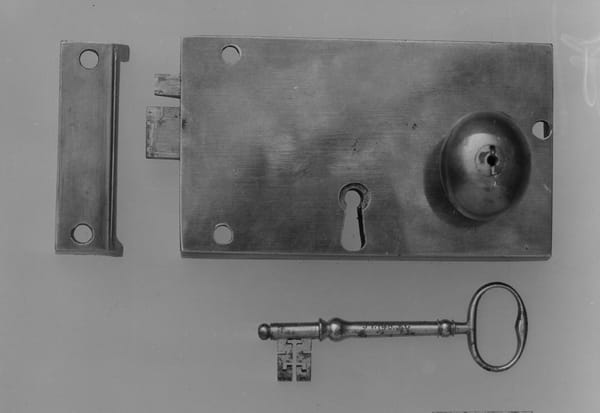
Image: Photo by Tyler on Unsplash
This story was produced with AI assistance from the sources listed above and fact-checked against them before publication. Read our editorial methodology and the corrections log. Spotted an error? Email [email protected].



Discussion